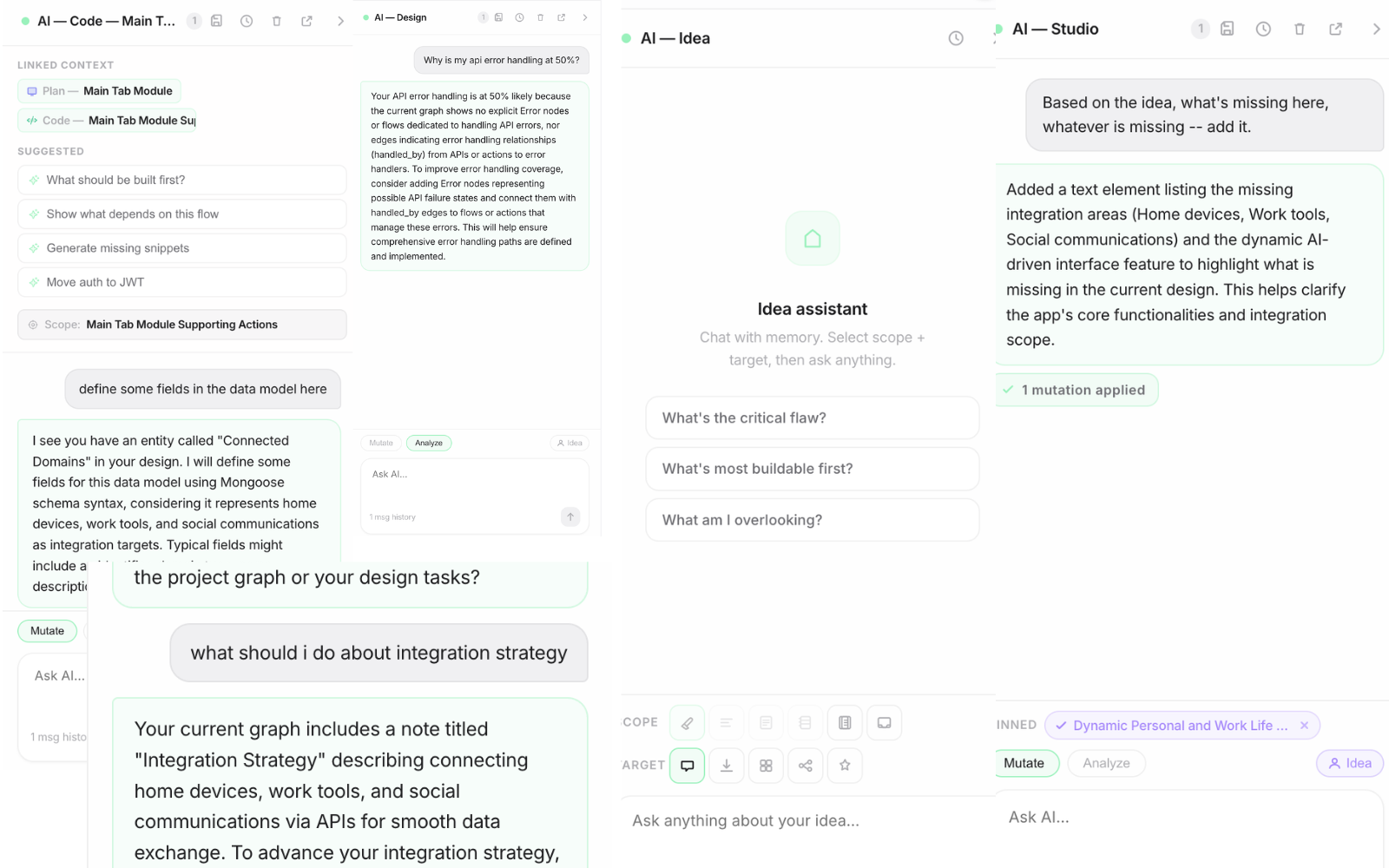
From Idea to
Ready-to-Build
Debrev Designer is an AI-driven workspace for thinking through a product — ideas, flows, screens, logic, and implementation — in one connected system. Plan everything before a line of code exists, then hand a complete, traceable blueprint to your coding agent.
The same AI on every tab — ask it anything, from your first messy note to the final scaffold.
The Thinking Is the Hard Part
AI can write code in seconds. But a product is more than code — and the tools for thinking it through haven't kept up.
Your Product Lives in Fragments
Notes in one doc, flows on a whiteboard, screens in Figma, logic in someone's head. Nothing connects, and every tool has a different version of the truth.
Gaps Surface Too Late
The missing error state, the API nobody planned, the screen you can't reach — they show up mid-build, where they're most expensive to fix.
Coding Agents Start Blind
Claude Code and tools like it are extraordinary executors — but they're only as good as the plan you hand them. A vague prompt gets you a vague product.
One Product, One Graph
Underneath everything in Designer sits a single connected model of your product: screens, flows, APIs, data, decisions, and error states — all typed, all linked. Every view in the app is a projection of the same graph, so nothing drifts out of sync and nothing gets lost between tools.
Relationships, Not Drawings
A line between a screen and an API isn't decoration — it's a typed relationship the whole system understands and checks.
Always in Sync
Rename a screen in the plan and it's renamed everywhere — in the design canvas, the visual frames, the release report, and the generated code.
Every Change Validated
Whether a person or an AI makes a change, it goes through the same validated, logged mutation protocol. No silent rewrites, ever.
The Journey: Idea → Code
Six connected workspaces, one flow. Each one reads from — and writes to — the same product graph.
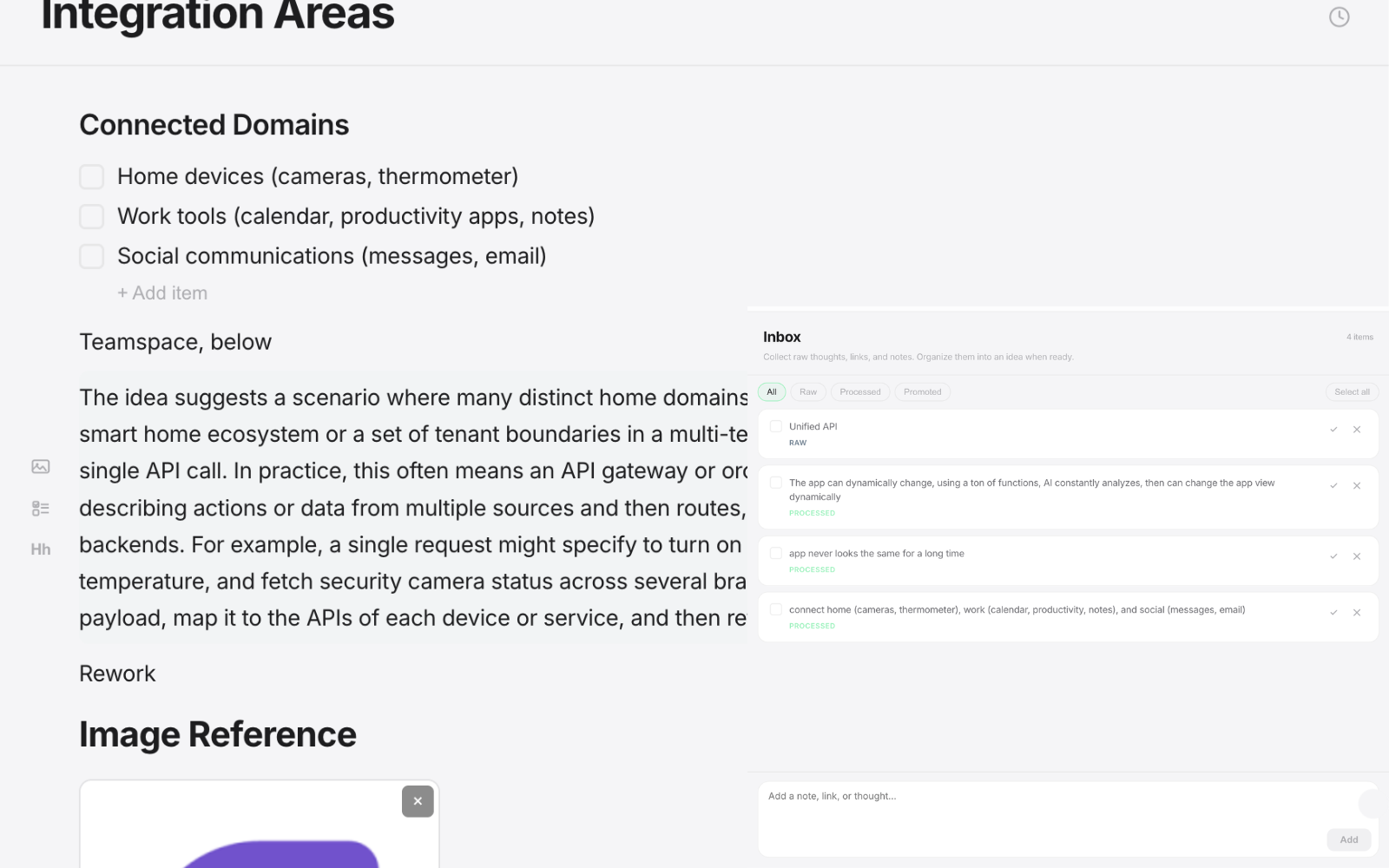
Idea — Capture the mess
Raw thoughts, inspiration, and half-formed concepts land in an inbox. Promote the good ones into structured idea pages with inline comments and full version history. Low commitment, high ambiguity — by design.
- Quick-capture inbox
- Structured idea pages
- Inline comments & versions
Plan — Shape the intent
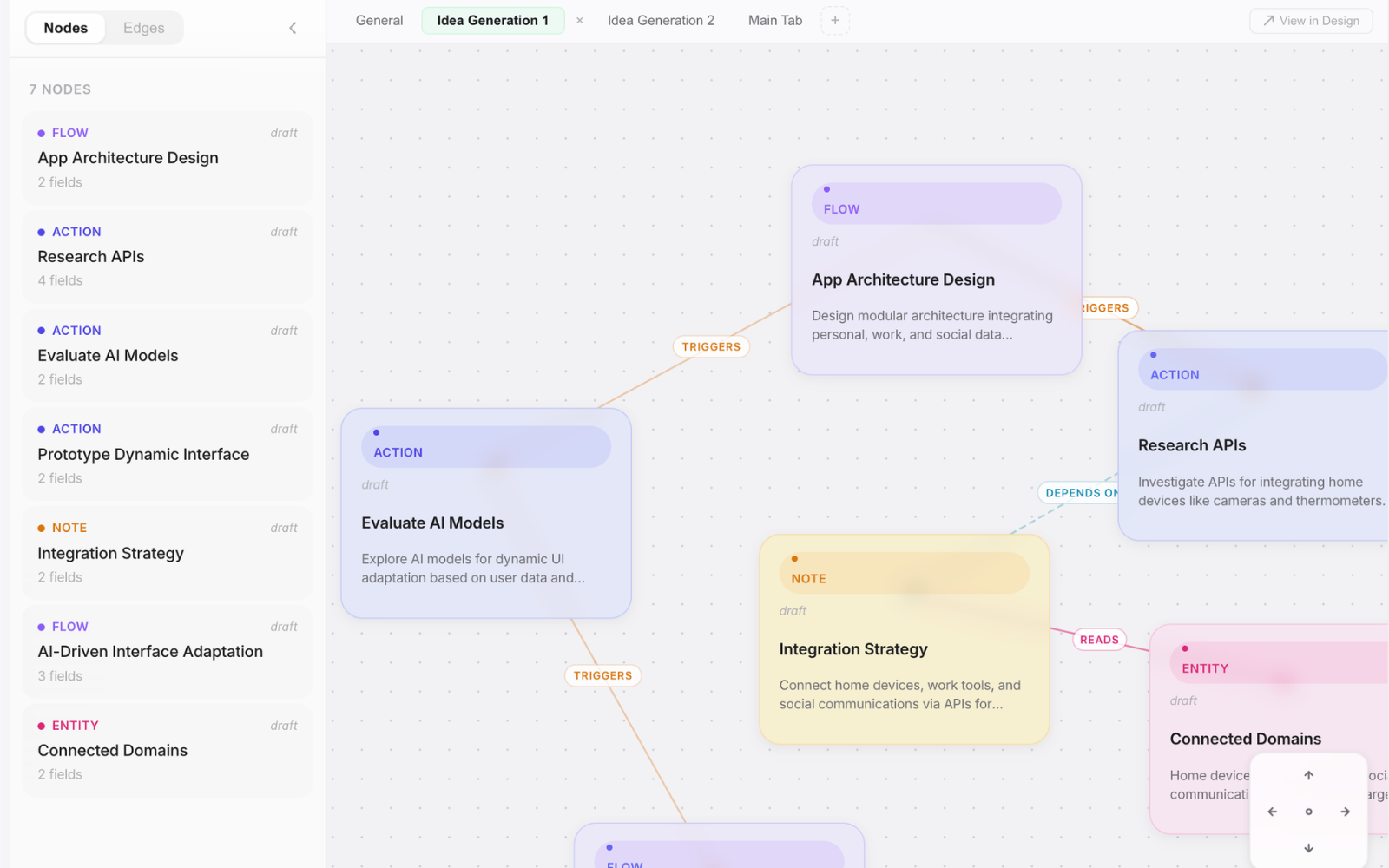
A spatial planning board where ideas become structure. Lay out screens, states, APIs, and modules as typed nodes on an infinite canvas, then connect them into real flows — every connection means something.
- Infinite pan & zoom canvas
- Typed nodes and connections
- Modules for distinct sub-flows
Design — Think in systems
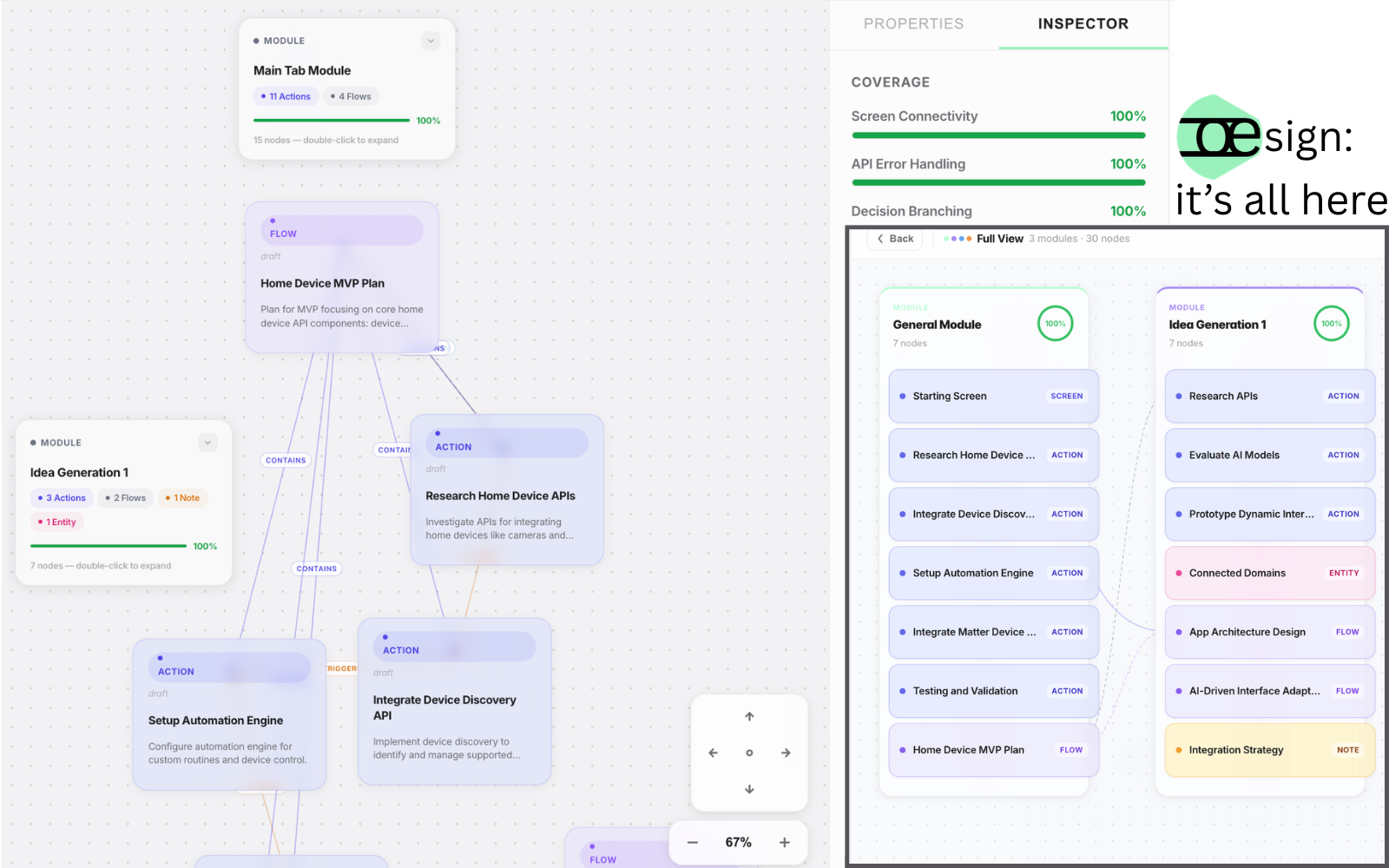
The primary thinking surface: a semantic canvas over your product's graph, viewable through four lenses — User Flow, System, Data, and States. A built-in inspector continuously checks the structure: unreachable screens, APIs with no error handling, decisions missing branches, orphaned data models.
- Four lenses over one graph
- Structural inspector with coverage scores
- Catches gaps before they become bugs
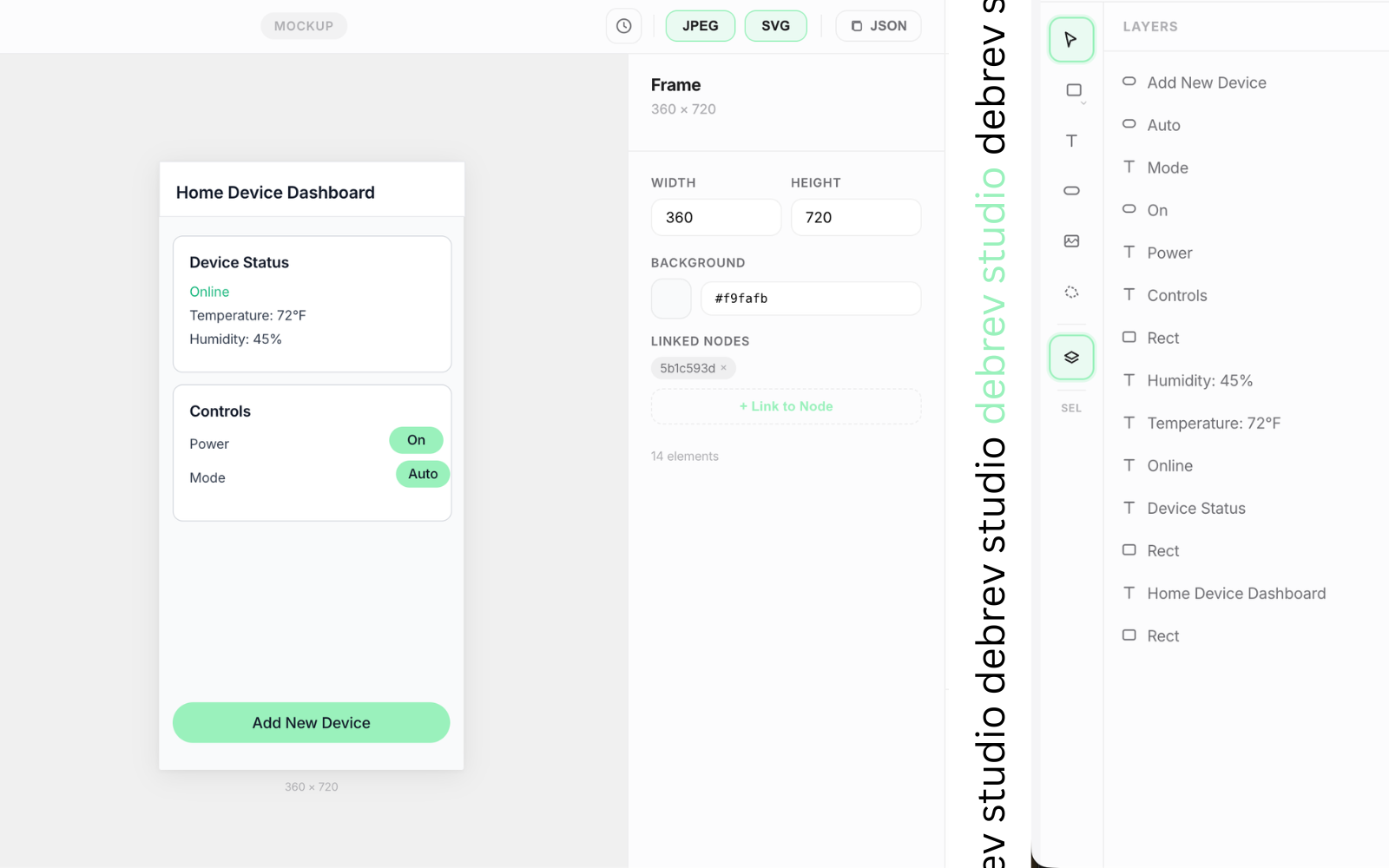
Studio — Make it visual
Design the screens themselves. Frames link directly to the screens in your plan, so visuals and structure never drift apart. Import existing Figma files, iterate with version history, and keep every asset traceable to the node it represents.
- Frames linked to plan screens
- Figma .fig import
- Per-asset version history
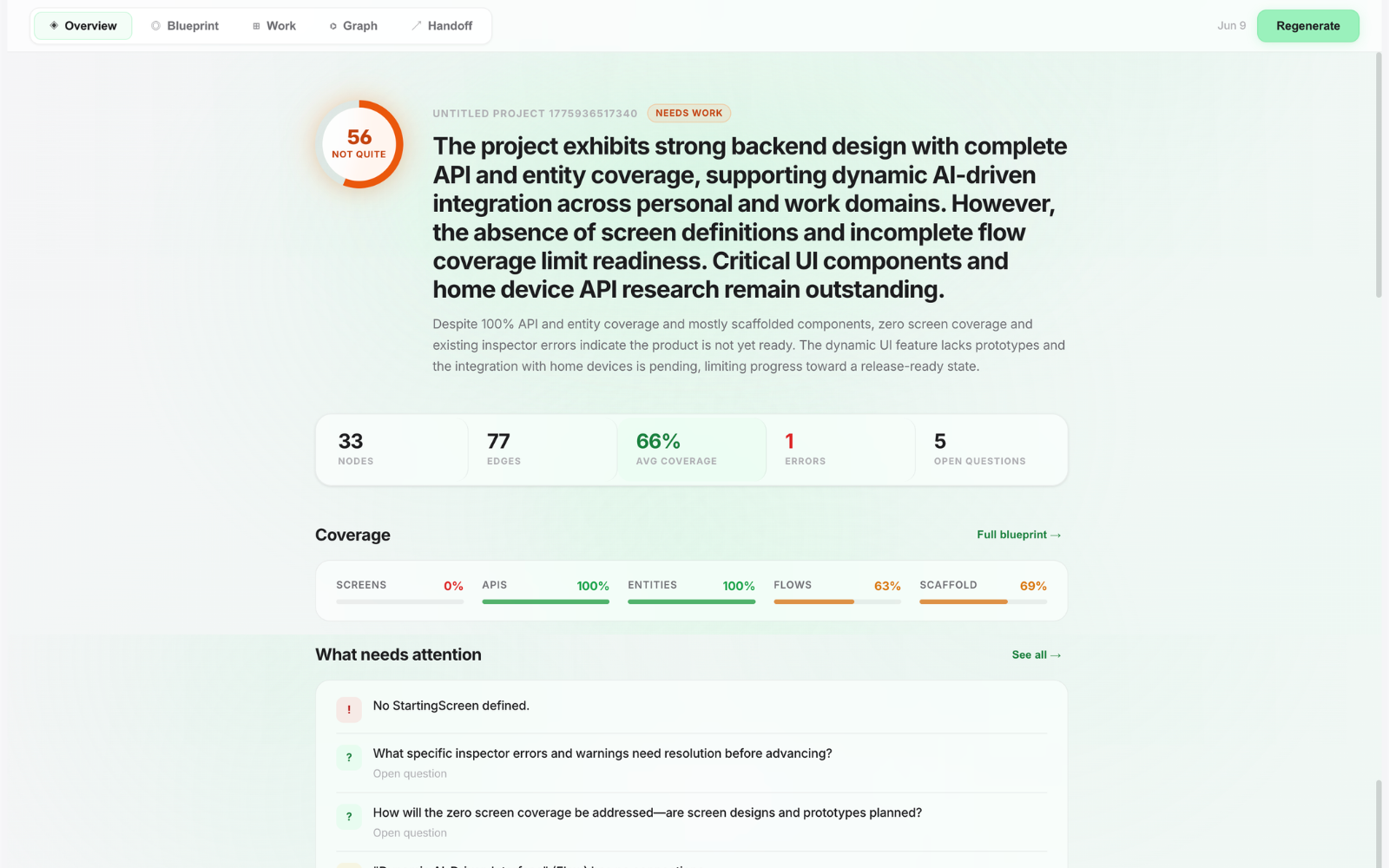
Release — Prove it's ready
One click turns your project graph into a build-readiness report: a readiness score, user stories and tickets, the critical path, a risk matrix, test plan, and the open questions you haven't answered yet. It's the audit that tells you whether 'ready to build' is actually true.
- Readiness score & coverage
- User stories, tickets, critical path
- Risks, test plan, open questions
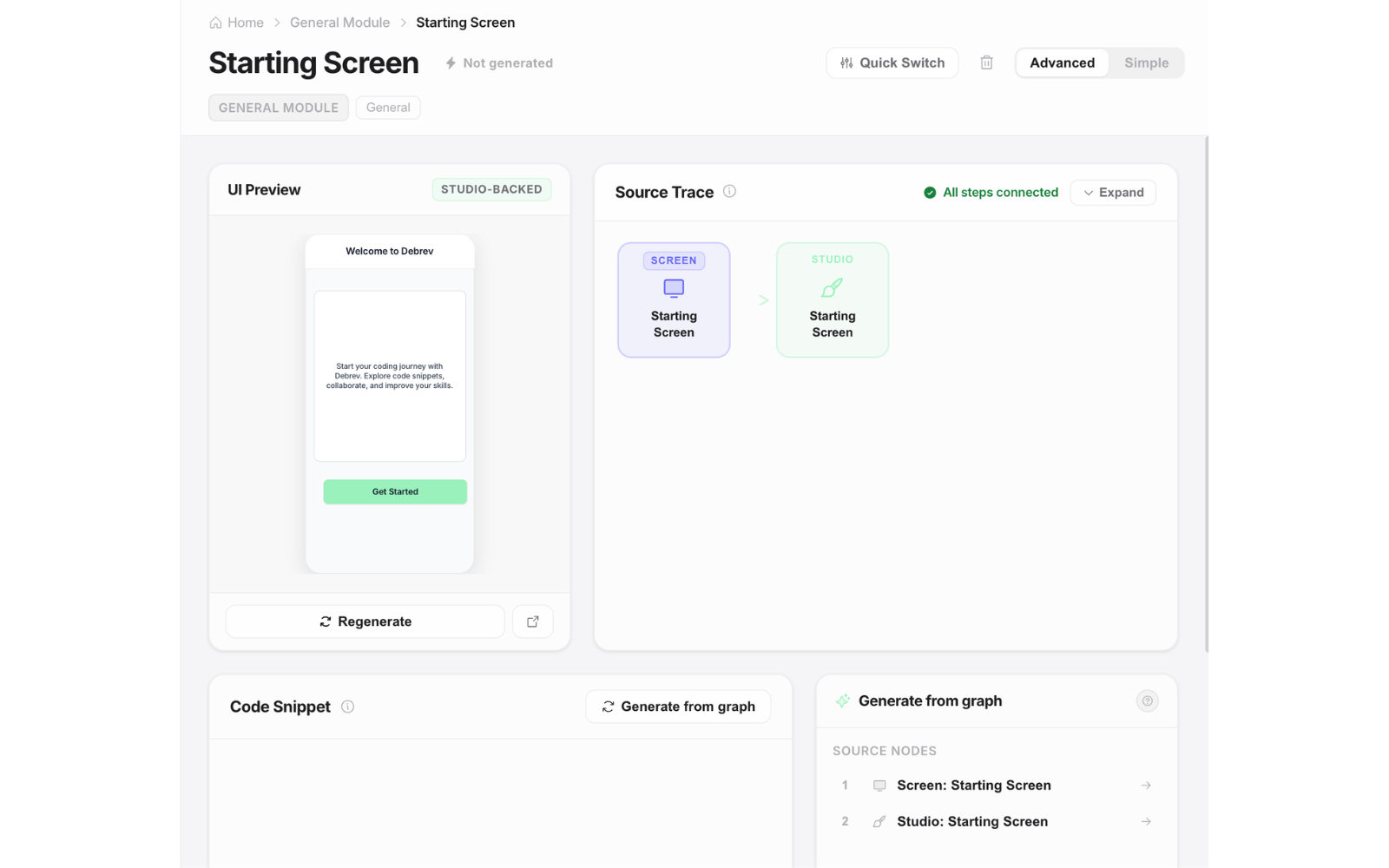
Code — Hand off to your coding agent
The terminus. Pick your stack, and Designer generates typed scaffolding for every flow — components, route handlers, schemas, data models, error templates. Source Trace shows exactly which part of your plan each snippet came from. Then export the whole thing as a ready-to-paste bundle for Claude Code or any coding agent.
- Stack-aware scaffold generation
- Source Trace: every snippet maps back to the graph
- One-click Claude Code export
AI That Edits Structure, Not Vibes
Designer's AI isn't a chatbot bolted onto a canvas. It's a structural editor and analyst of your product graph — every change it proposes is explicit, validated, and reviewable.
The Assistant
Fast, targeted edits on every tab. Ask it to add an error path, restructure a flow, or analyze coverage gaps — it answers with concrete graph changes you can see and undo, never hidden rewrites.
Agent Mode
ComingA second AI persona for sustained work: it reads your whole project, builds a plan, and executes it across tabs — visibly. You watch it move, follow along live, and approve every milestone. It pauses before anything destructive and asks when it's genuinely unsure. If you say no, everything rolls back.
The Inspector Keeps Everyone Honest
Human or AI, every design must pass the same structural checks: no unreachable screens, no dead ends, no APIs without error handling, no decisions missing branches. Coverage scores show exactly how complete your design is — and the AI self-corrects against the same rules you see.
Built for Teams, Live
Product thinking is a team sport. Designer is real-time collaborative from the ground up.
Live Presence
See teammates' cursors, selections, and which tab they're on — across the whole workspace, conflict-free.
Comments & History
Inline comment threads on idea pages, version history on documents and visual assets, and an event log behind every change.
Org Templates & Files
Share project templates across your organization and keep every project organized in a familiar file explorer.
What's Ahead
Designer is in active development ahead of public release. Here's where it's headed.
Code Tab & Claude Code Handoff
In progressStack-aware scaffolding, Source Trace, structural quick-switches (REST vs. GraphQL, your auth and ORM of choice), and a one-click export bundle for coding agents.
Agent Mode
The visible, approval-gated agent that works across your whole project — coverage audits, cross-tab feature builds, release-driven self-fixes, and market research before big builds.
Bring Your Own AI
A hosted MCP connector so your Debrev project is readable — and safely editable — from the AI tools you already use, like Claude or ChatGPT, with scoped permissions and full audit trails.
Deep Market Research
Built-in deep research that grounds your product decisions in competitor patterns and domain conventions — before you commit to a direction.
Be Among the First
Debrev Designer hasn't launched publicly yet. Request early access to plan your next product in it — from the first messy idea to a blueprint your coding agent can actually build.
In the meantime, check out Debrev Interview to start making smarter hiring decisions.